
Overview
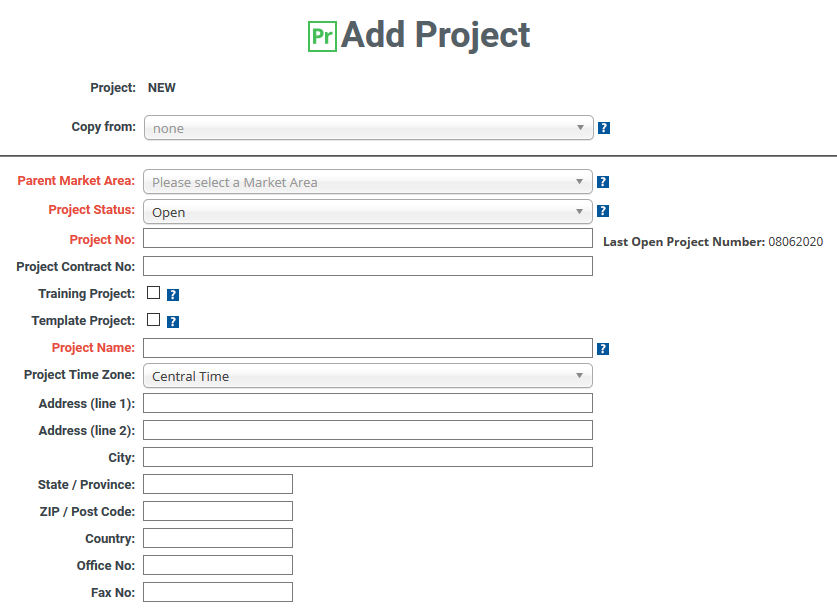
A Project Template allows certain details from one project to be copied into a new project using the Copy From drop-down menu during new project creation. New or existing projects may be designated as Project Templates. Marking a project as a Template Project does not affect the functionality of the project in any way.
A Project Template will carry over the following details into the new project:
- Project Letterhead
- Project name
- Time zone
- City and state
- Systems and phases hierarchy
- Cost Codes
- Contacts
- Employees
- Week ending day setting
- Project comments (in the Project Comments field on Edit Project page)
| Table of Contents |
How to Create a Project Template
From a new project
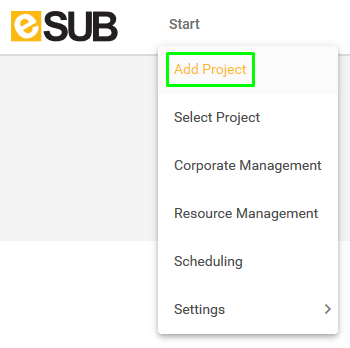
- Go to Start > Add Project
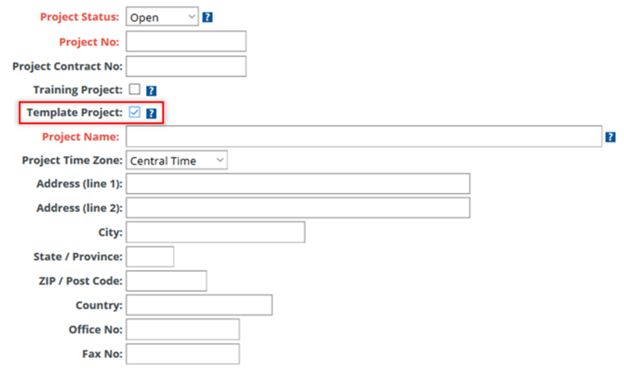
- Select the Template Project check box
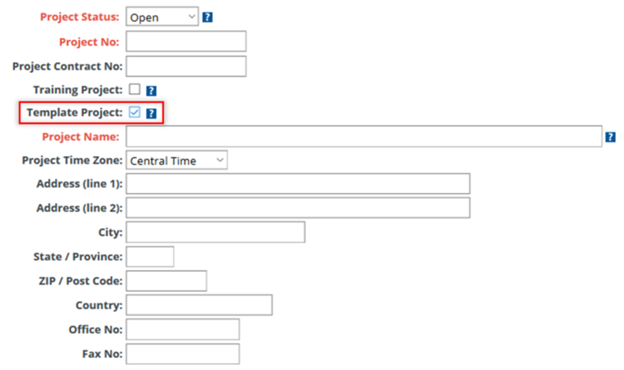
- Complete the other fields as desired
- Select Save Data
From an existing project
Select the project, then:
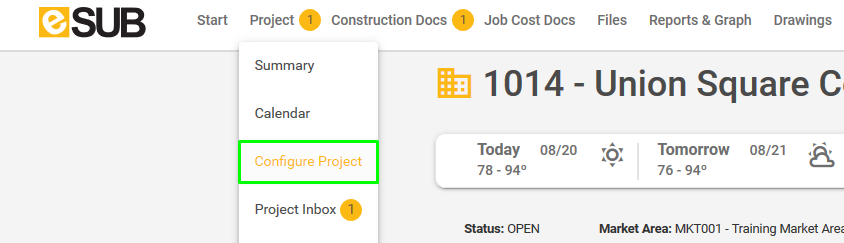
- Go to Project > Configure Project
- Select Edit Project Information
- Select the Template Project check box
- Select Save Data
How to Copy From a Project Template
- Go to Start > Add Project
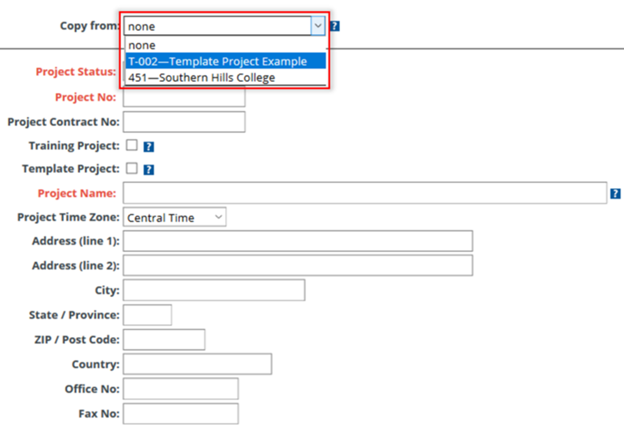
- Select the desired template to use from the Copy From drop-down menu
- Complete the other fields as desired
- Select Save Data
Comments
0 comments
Please sign in to leave a comment.